EXCEL2019 VBA-内部向けLAN-Pingモニタリング
2025年8月30日
EXCELにPING監視を実装する
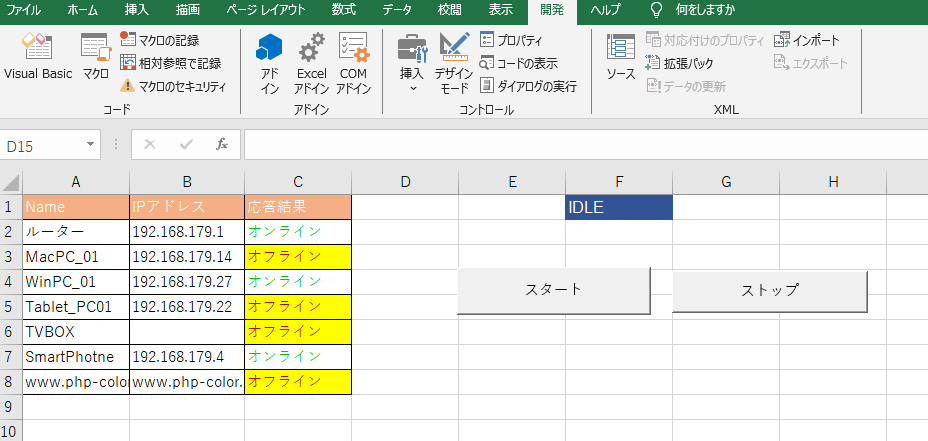
IPアドレス管理表を照らし合わせてPing疎通確認が煩わしく。エクセルを開いてVBAからPingを呼び出し行えば、マルチタスクがかのうになって、コマンドプロンプトとかPowerShellを開いてIPアドレスを打ち込むことを自動化して効率化を図る。
- 標準モジュールを追加する。
Function Ping(strip)
Dim objshell, boolcode
Set objshell = CreateObject("Wscript.Shell")
boolcode = objshell.Run("ping -n 1 -w 1000 " & strip, 0, True)

If boolcode = 0 Then
    Ping = True
    Else
    Ping = False
End If
End Function- 標準モジュールを追加する。
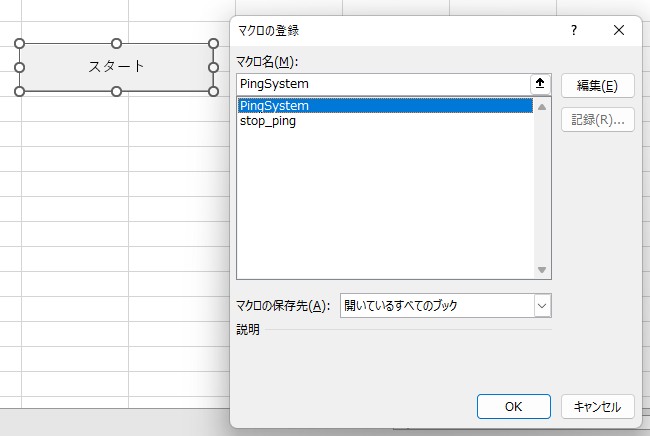
Sub PingSystem()
Dim strip As String
Do Until Sheet1.Range("F1").Value = "STOP"
 Sheet1.Range("F1").Value = "テスト中"
For introw = 2 To ActiveSheet.Cells(65536, 2).End(xlUp).Row
    strip = ActiveSheet.Cells(introw, 2).Value
    If Ping(strip) = True Then
        ActiveSheet.Cells(introw, 3).Interior.ColorIndex = 0
        ActiveSheet.Cells(introw, 3) = "オンライン"
        ActiveSheet.Cells(introw, 3).Font.Color = RGB(0, 0, 0)
        Application.Wait (Now + TimeValue("0:00:01"))
        ActiveSheet.Cells(introw, 3).Font.Color = RGB(0, 200, 0)
    Else
        ActiveSheet.Cells(introw, 3).Interior.ColorIndex = 0
        ActiveSheet.Cells(introw, 3).Font.Color = RGB(200, 0, 0)
        ActiveSheet.Cells(introw, 3) = "オフライン"
        Application.Wait (Now + TimeValue("0:00:01"))
        ActiveSheet.Cells(introw, 3).Interior.ColorIndex = 6
    End If
    If Sheet1.Range("F1").Value = "STOP" Then
        Exit For
    End If

Next
Loop
Sheet1.Range("F1").Value = "IDLE"
End Sub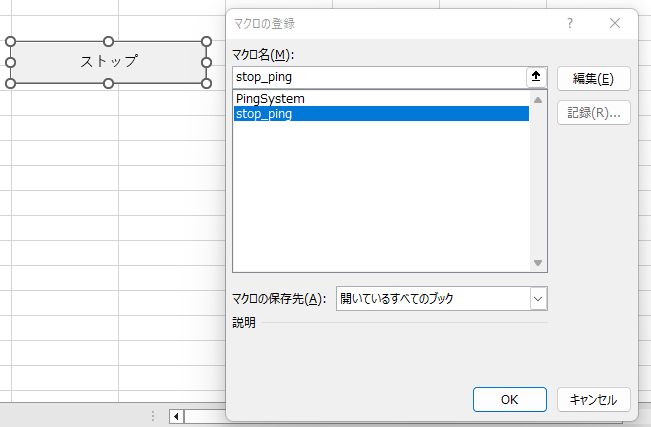
- シートにフォームコントロールボタンを挿入して名前変更STOPに変更したボタンにマクロ(stop_ping)を登録する
Sub stop_ping()
    Sheet1.Range("F1").Value = "STOP"
End Sub